
claude-code-wakatime
by wakatimev3.1.5
WakaTime plugin for Claude Code - Track your AI usage, lines of code generated, and time spent prompting AI
BSD-3-Clause GitHub
Keywords
time-trackinghooksproductivitymetrics
Documentation
# WakaTime for Claude Code
Track your AI usage, lines of code generated, time spent prompting AI, etc. using the WakaTime plugin for Claude Code.
[WakaTime](https://wakatime.com/) is an open source plugin for metrics, insights, and time tracking automatically generated from your programming activity.
## Installation
1. `claude plugin marketplace add https://github.com/wakatime/claude-code-wakatime.git`
2. `claude plugin i claude-code-wakatime@wakatime`
3. Add your [API key][api-key] to `~/.wakatime.cfg`:
```
[settings]
api_key = waka_123
```
## Upgrading
claude plugin marketplace update
## Usage
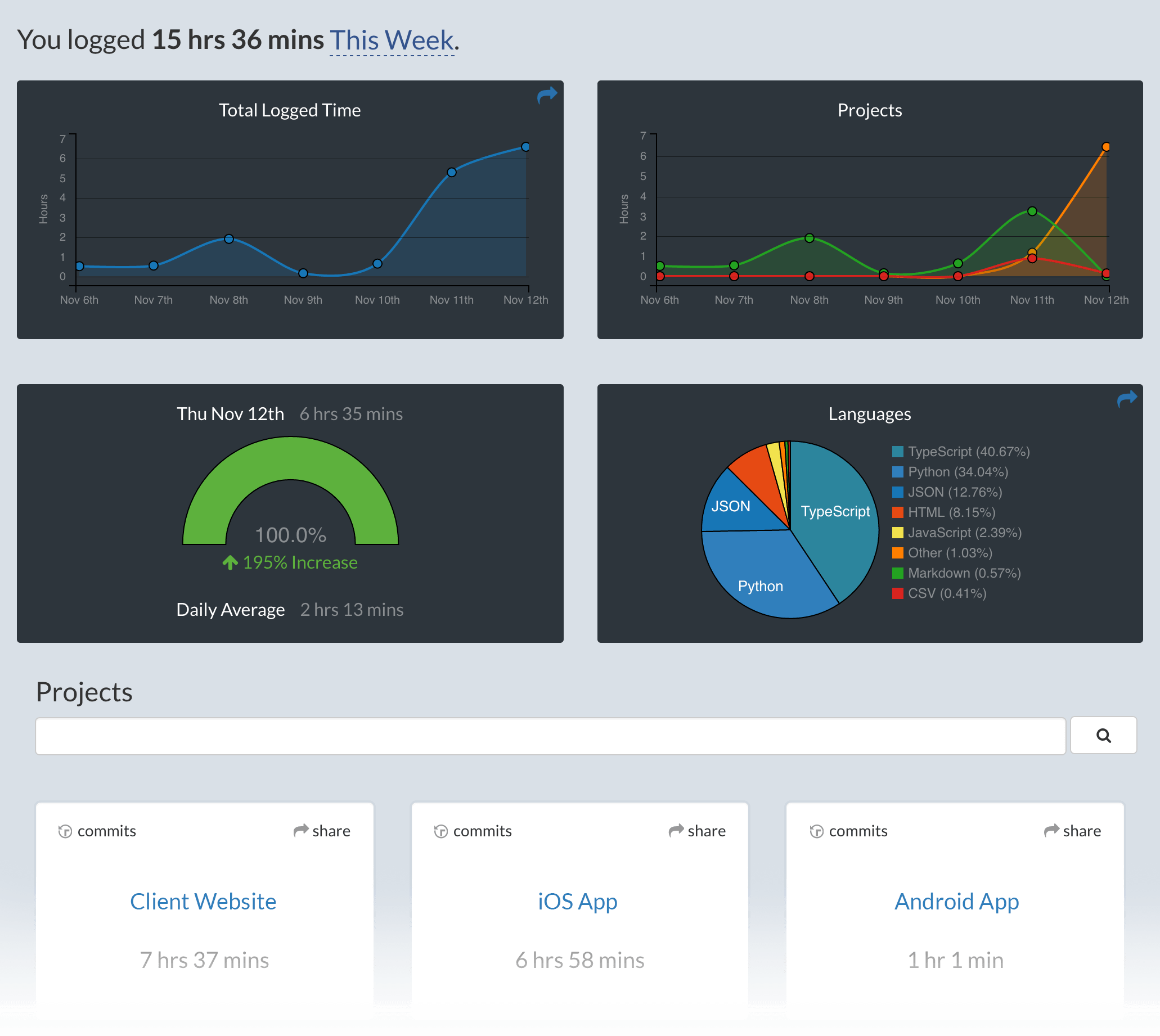
New: See the lines of code generated by AI on your [dashboard][wakatime.com]!
Visit [https://wakatime.com][wakatime.com] to see your coding activity.
## Development
```bash
npm run watch
```
## Troubleshooting
Diagnostic tool for troubleshooting the installation and health of Claude Code and plugins:
```bash
claude doctor
```
Make sure you have node.js installed and in your `$PATH`:
```bash
node -v
```
Run claude with verbose logging to see any plugin load errors:
```bash
claude --debug
```
Look for errors in the [wakatime-cli][wakatime-cli] log file:
```bash
grep error ~/.wakatime/wakatime.log | grep -v backoff
```
[wakatime.com]: https://wakatime.com
[api-key]: https://wakatime.com/api-key
[wakatime-cli]: https://github.com/wakatime/wakatime-cli